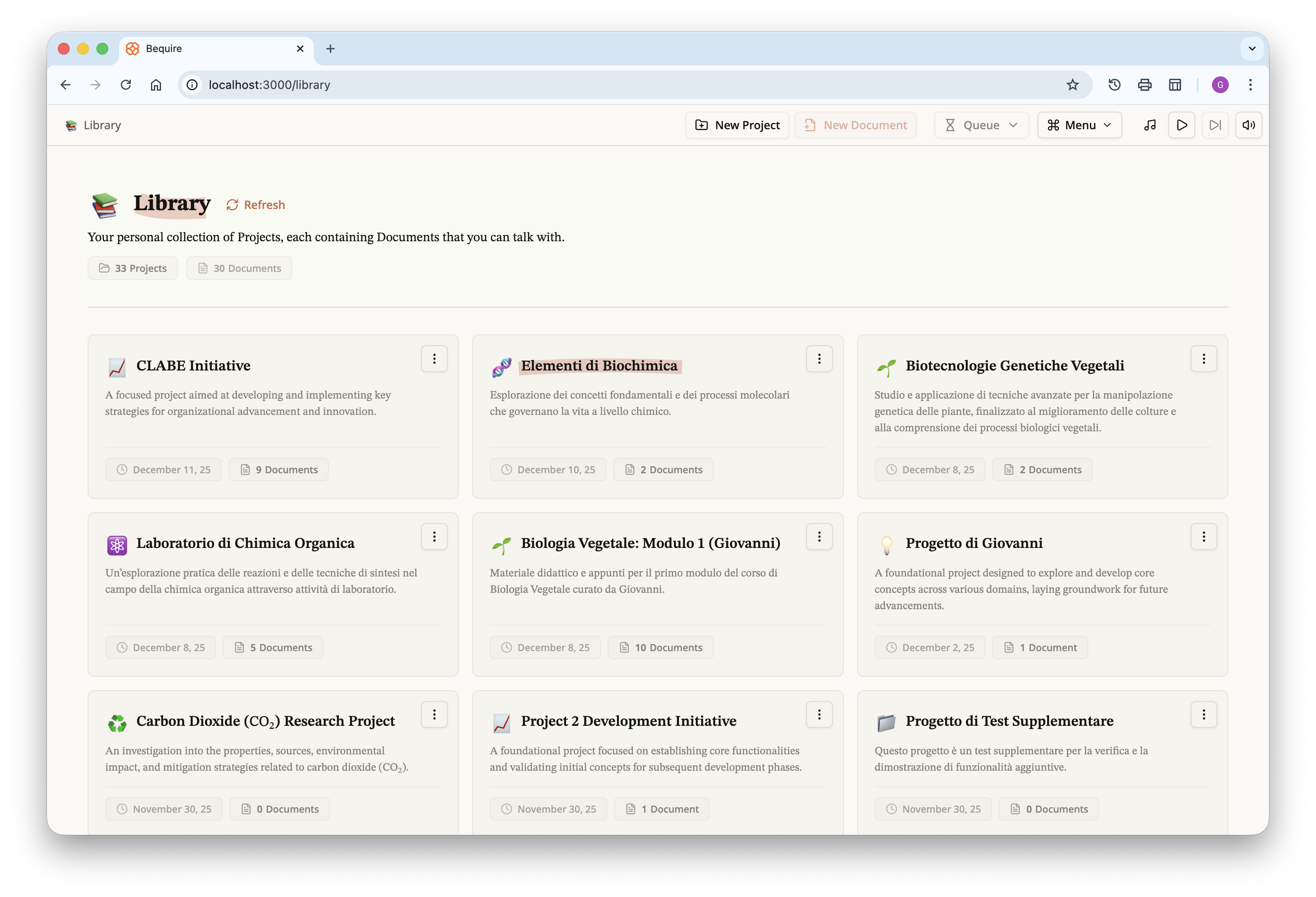
Over the past months I developed a web platform that enables users to
run the algorithm; it is responsive across all screen sizes and includes
accessibility options. After signing up, a user can create projects,
which are defined as collections of documents produced by the algorithm.
A project functions not just as a folder but as a scoped grouping: users
can gather documents from different lectures belonging to the same class
and query all those documents simultaneously through a chat interface.
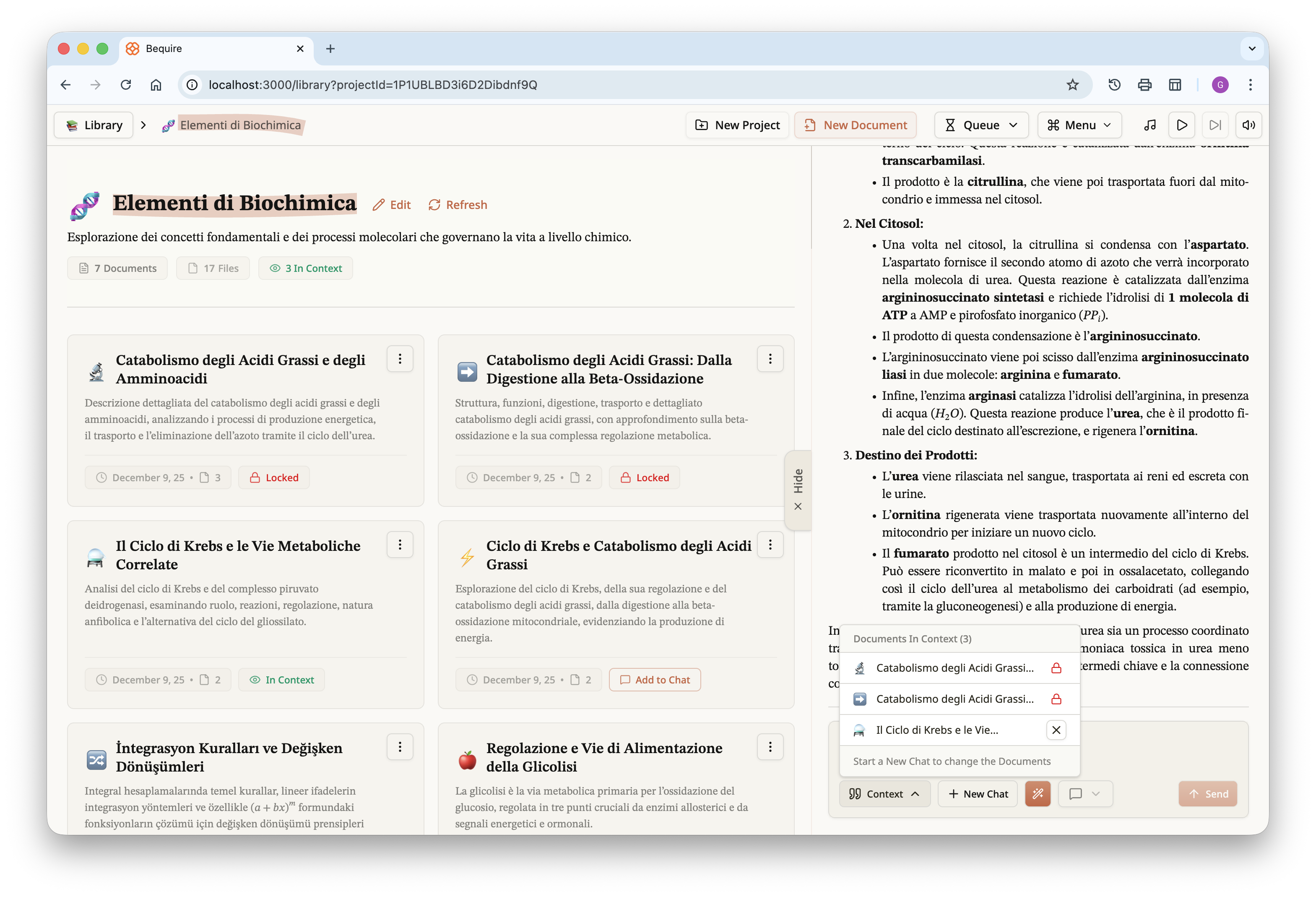
The list of projects is presented on what I call the library page.
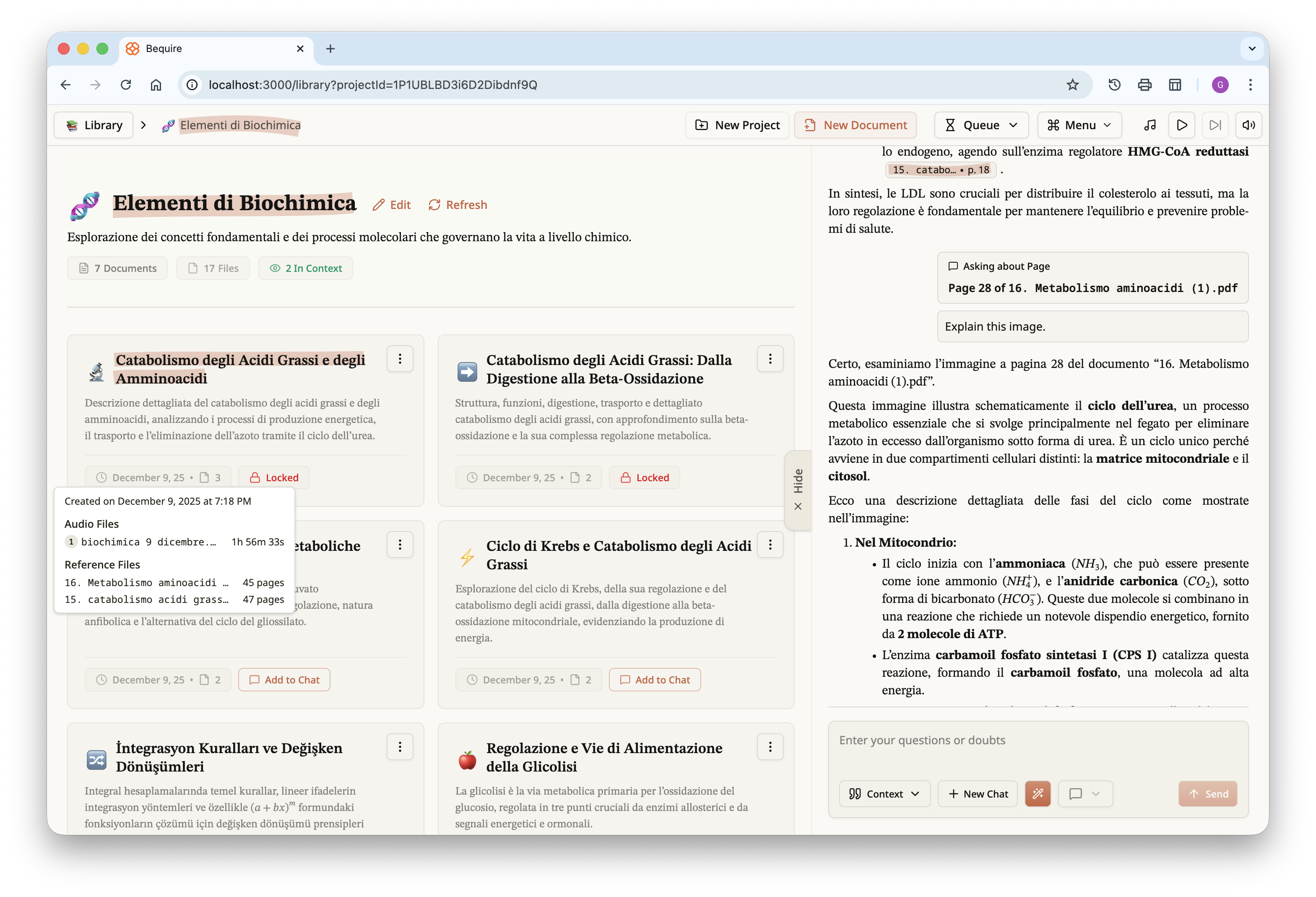
Once a user selects a project, they are given the documents within it
and access to the chat interface for all documents in that project.
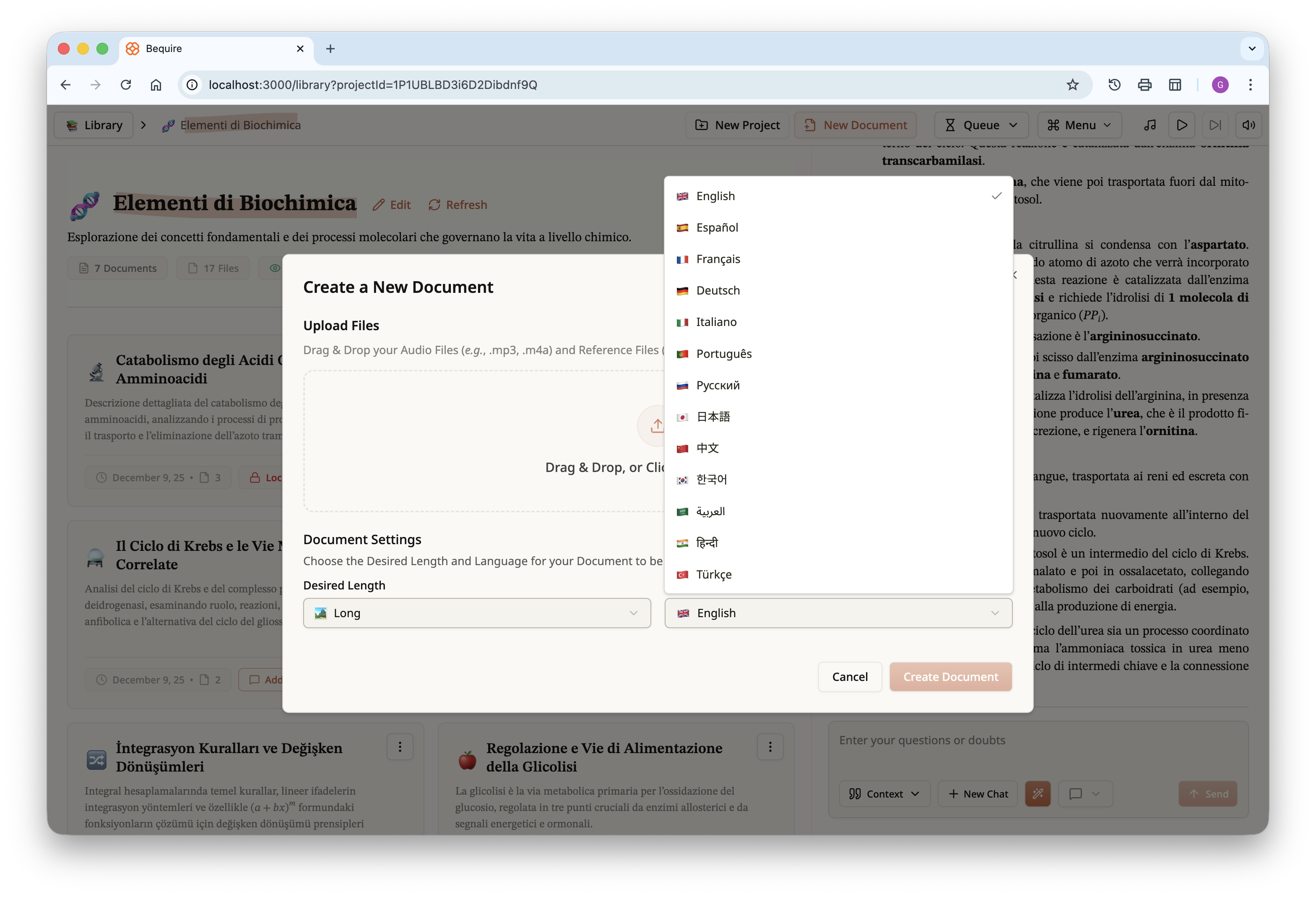
Documents can be created via the “New Document” button on the top
bar. Users can upload audio and reference files, choose the order of the
audio files, and in the future may be able to assign importance to
reference files to prioritize them. Each document can have one of three
lengths, short, medium, or long. Length varies according to source
materials: a long document typically corresponds to about 20 PDF pages,
a medium document is around 14–15 pages, and a short document ranges
from 5 to 10 pages.
Each document includes metadata so the user can differentiate among
the various created documents. For each document a title and description
are generated automatically. Documents themselves are immutable and, in
the current version, can only be downloaded as a PDF in addition to
being accessible on the platform itself.
On the right, the chat panel can be collapsed or revealed via a
toggle. The chat input at the bottom contains multiple utilities,
including a view of which documents are currently in the context,
creation of a new chat, and an autocorrect feature for messages that
facilitates input of formulas via plain text. This feature not only
corrects formulas but also grammar and syntax. The user can choose a
response style that is balanced, concise, or oriented toward guided
learning, allowing you to focus on the desired experience.
Once the document is accessed, it displays an interactive table of
contents at the top and the chat panel associated with the project on
the right. The document is automatically added to the chat context and
can be queried immediately.
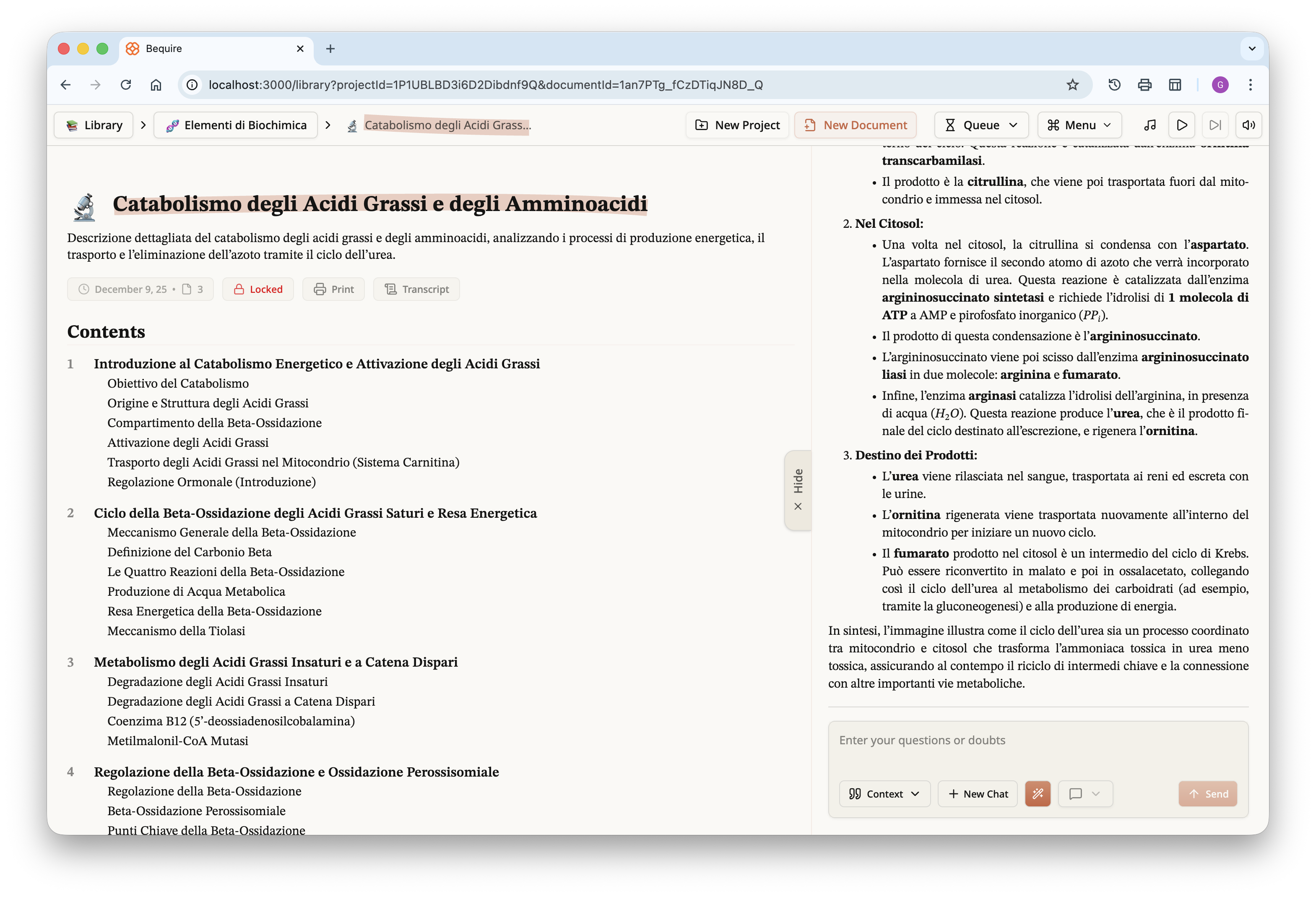
The document, as previously noted, can be downloaded in PDF form; for
those curious, I have uploaded it to Google Drive and it is available at
the following link.
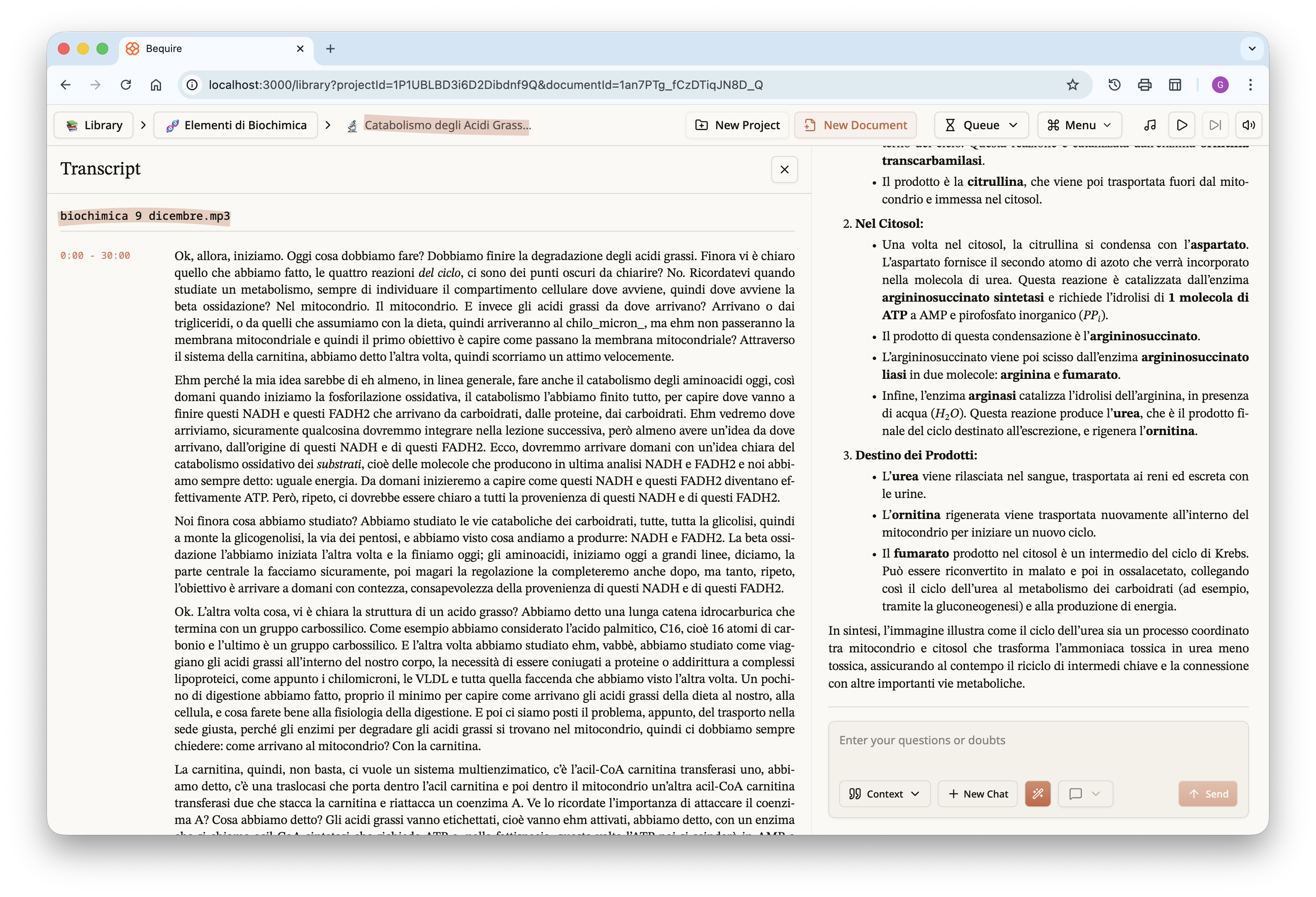
Each document also includes a transcript; this cleaned, and roughly
time-stamped version is the one used by the LLM in creating the
document.
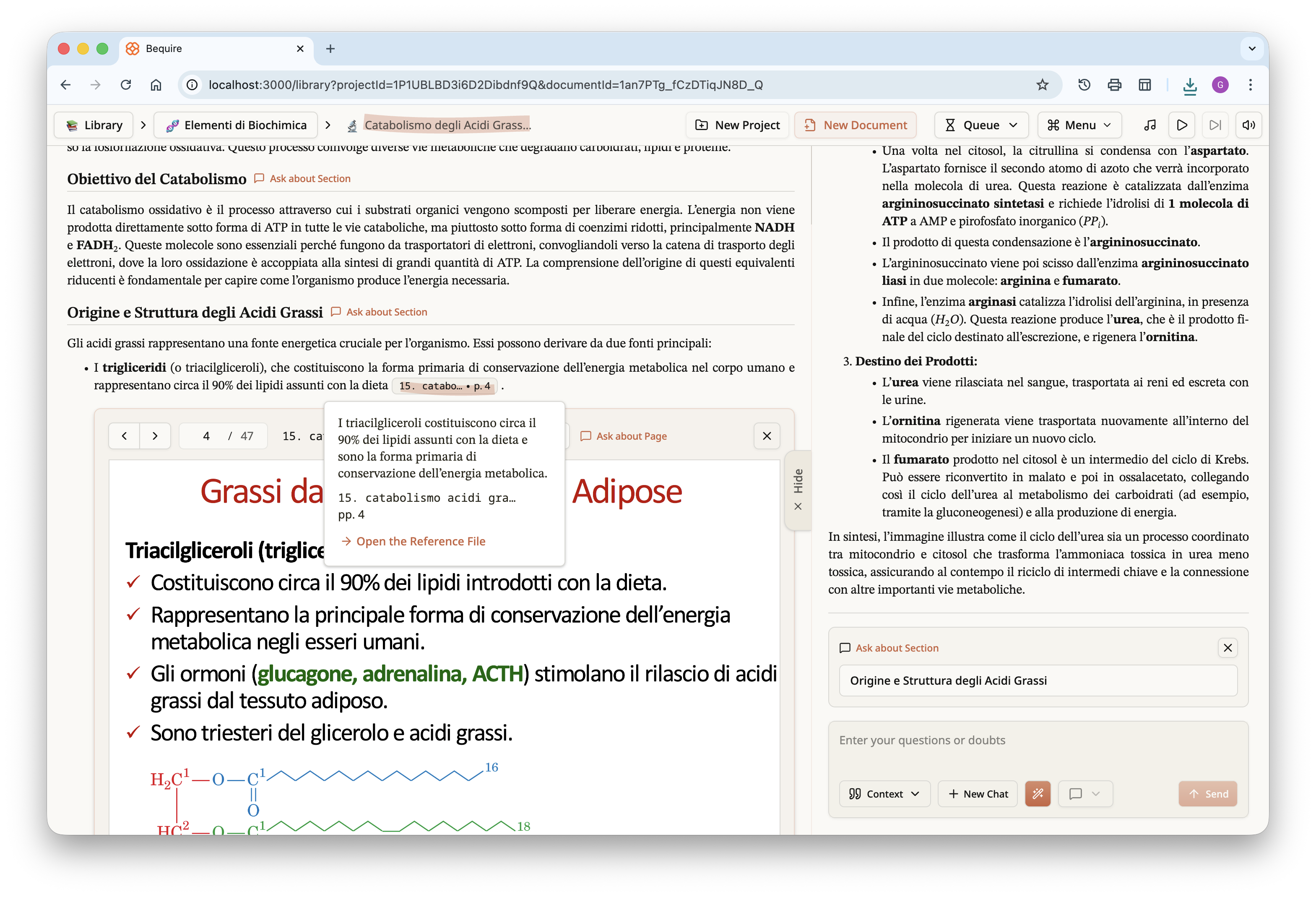
By scrolling down, the rest of the document can be read. If reference
files have been provided, as in this case, citations will be present.
These appear as footnotes in the PDF at the bottom of each page, but as
clickable popups in the document within the website. Clicking a citation
reveals the cited content, the referenced document, and the page where
the content appears. Pressing the “Open the Reference File” button opens
an inline view of the PDF at the specified page.
By scrolling further down, the user can see what the LLM has
understood about each page; this comprehension is provided without any
other context but may help the reader identify faults in the LLM’s
interpretation. Adding another verifiable step in the process can
clarify misunderstandings: if something has not been properly
understood, the user can press the “Ask about Page” button to pose a
direct question to the LLM. Visual content is typically well interpreted
by the LLM, and questions about diagrams or complex images can also be
asked. Users can query entire pages or specific sections within the
document by pressing the “Ask about Section” button next to each section
header, making the website a superior medium for studying documents
while still allowing accessibility through PDF download.
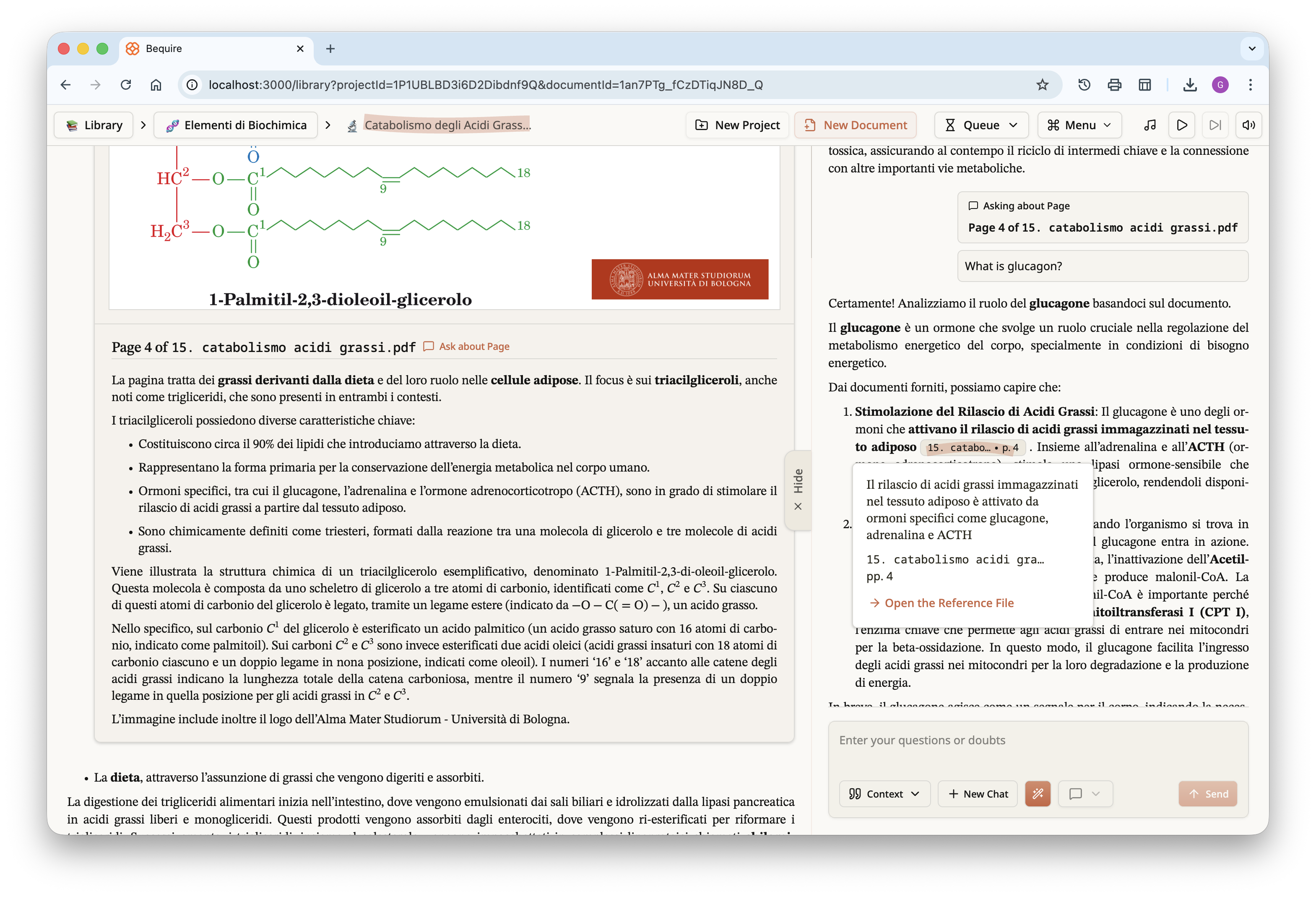
Focusing specifically on the last image above, a question was asked
about the given page and the LLM responded by citing a specific piece of
information from that page. This can occur for any general question that
allows tracing, or approximate tracing, of information across multiple
documents. By clicking the button in the pop-up, you can open the PDF
reader and view the LLM’s understanding of each page in full-screen.
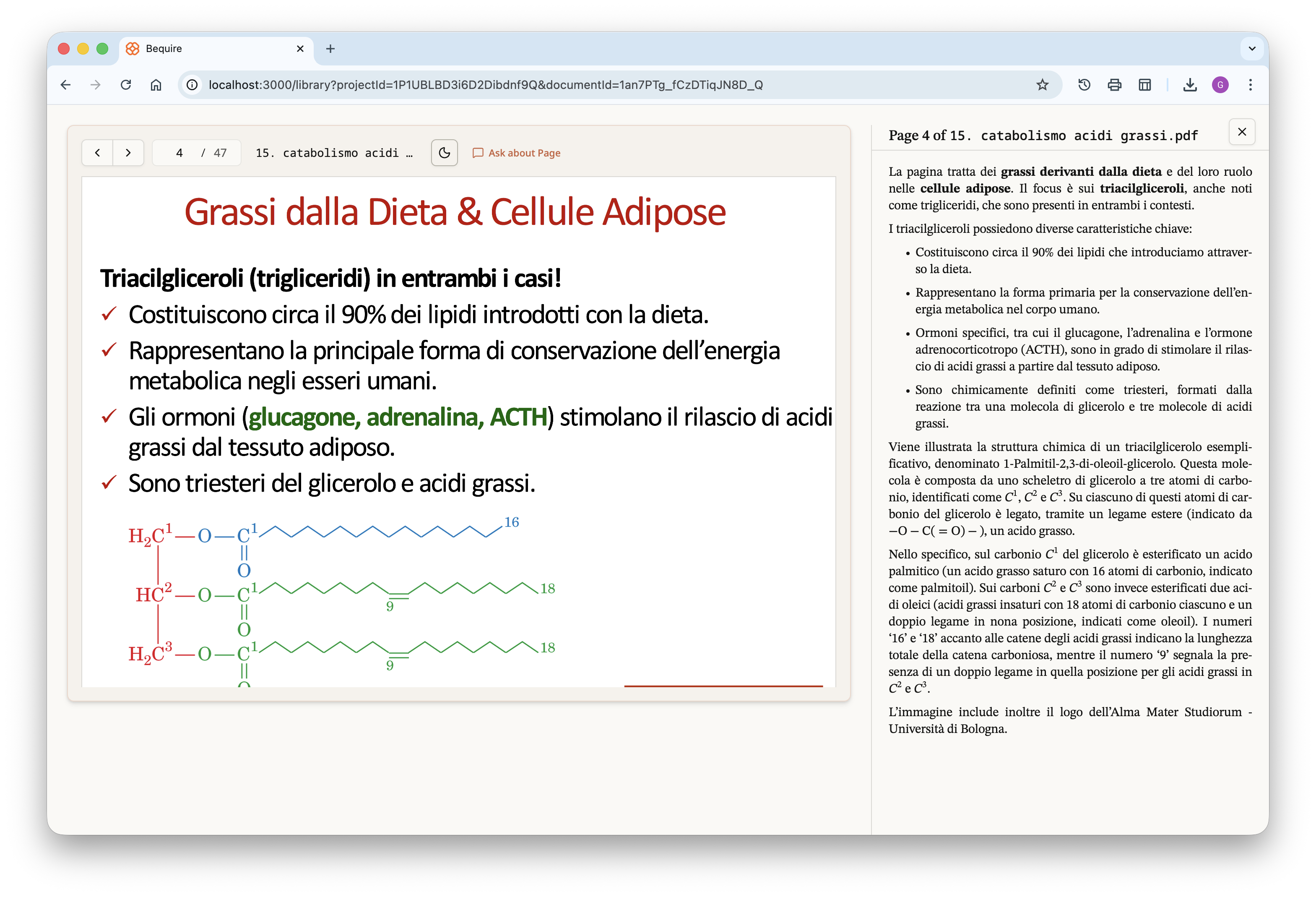
The user can freely navigate between the different pages, directly
bypassing the document if desired and focusing specifically on the
reference files they provided. The website is available in both light
and full dark themes; the PDF files have the same dark-mode option to
improve readability during night study sessions and reduce eye
strain.
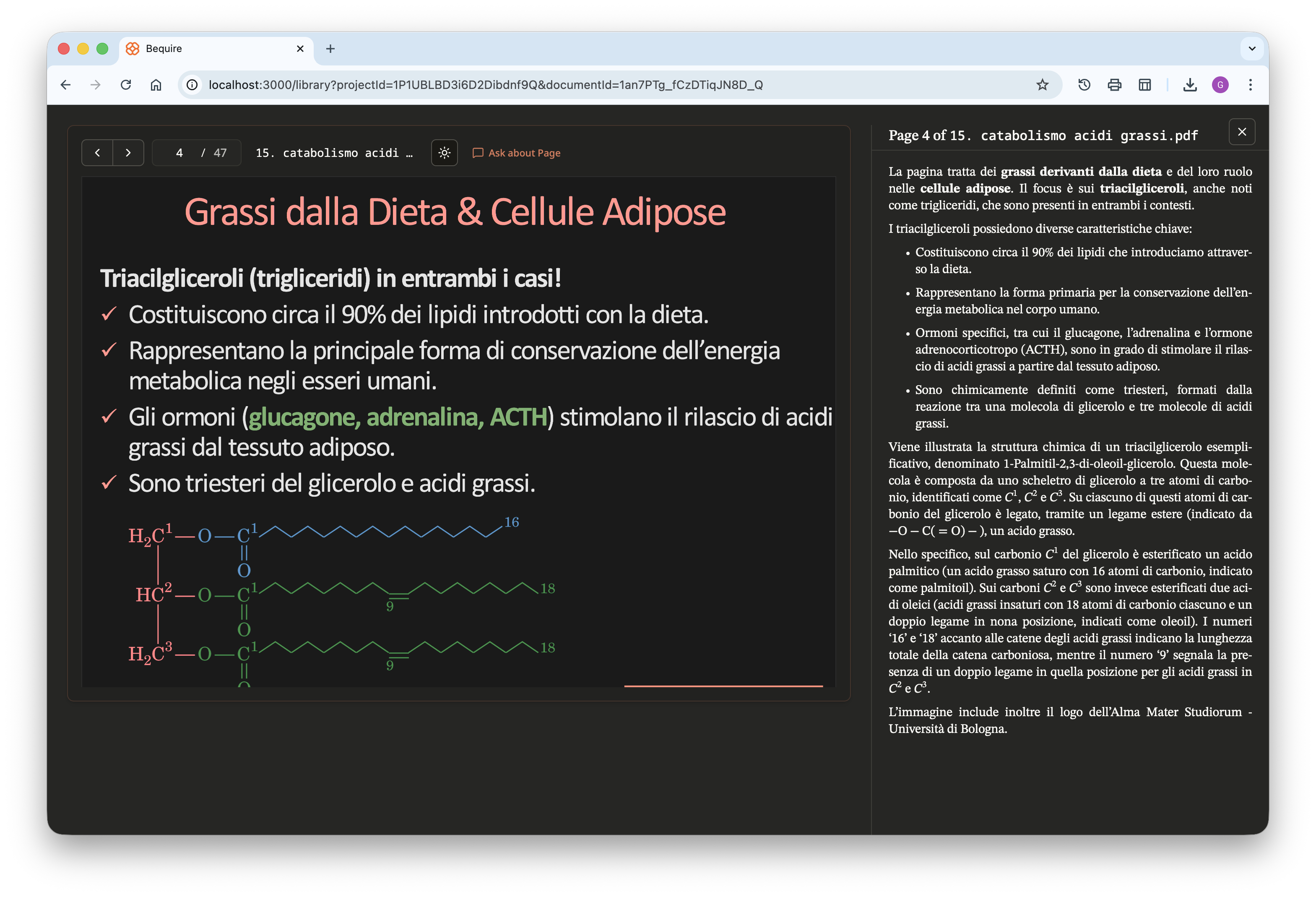
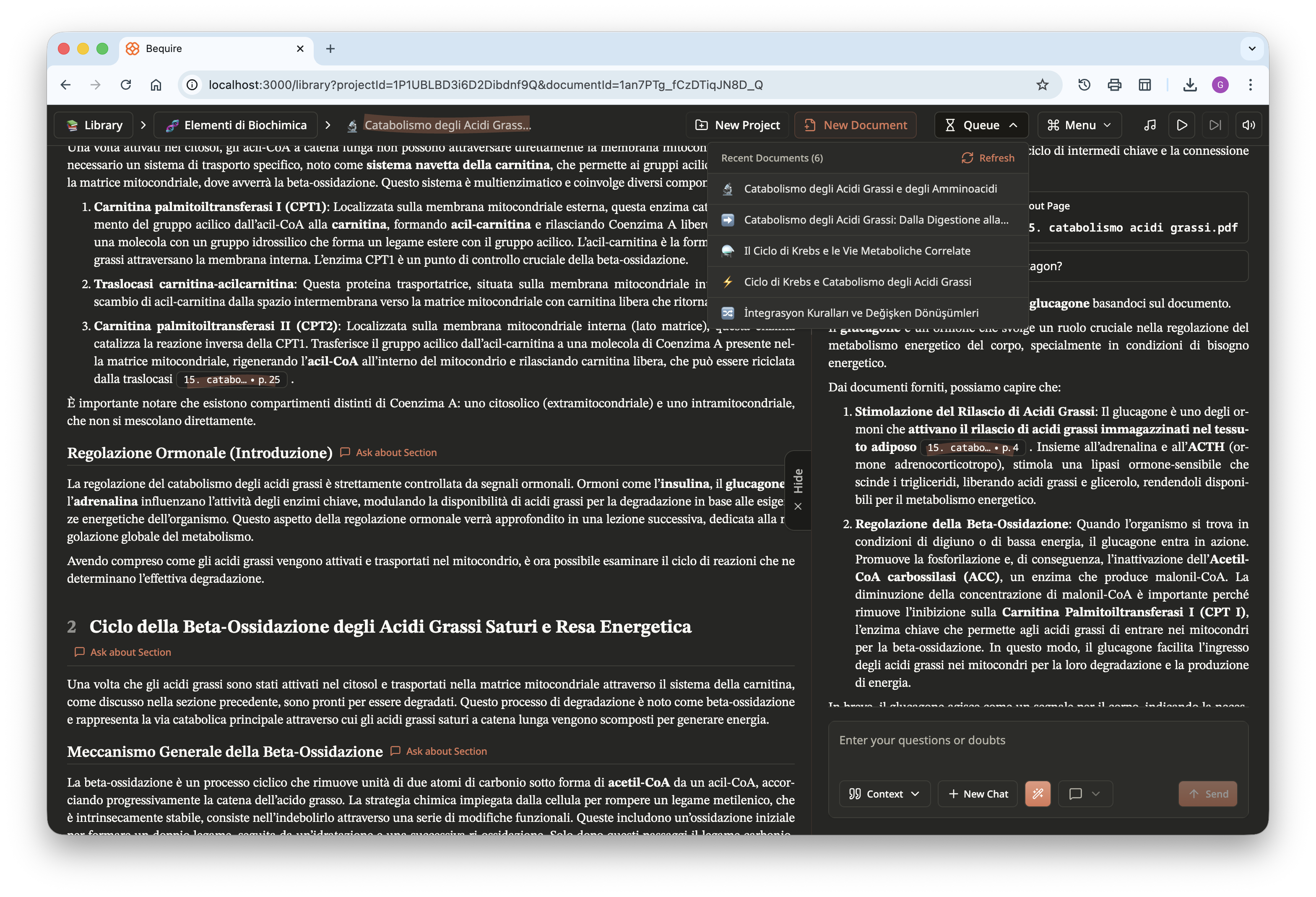
Lastly, here is another screenshot of the website in dark theme. In
the top right, a queue shows documents being created that are accessible
to users, and progress is displayed dynamically. A menu is available for
users to choose different options, including zooming, selecting a theme,
creating a new chat, printing the document, playing music, and signing
out; users can play study or relaxing music freely available from
YouTube directly within the website.