As a learning exercise, I implemented a document editor from scratch
using GTK4 for windowing and Skia for GPU-accelerated rendering. The
motivation was to understand how modern text editors handle complex
layout requirements, bidirectional text, font fallback, glyph shaping,
and sub-pixel positioning, without relying on web technologies or
established frameworks like Electron. Traditional text editors either
use platform-native text rendering (which limits control) or implement
custom layout engines (which is complex). I chose the latter: building a
complete text system adapted from cosmic_text, integrating
it with Skia for rendering, and wrapping everything in a GTK4
application.
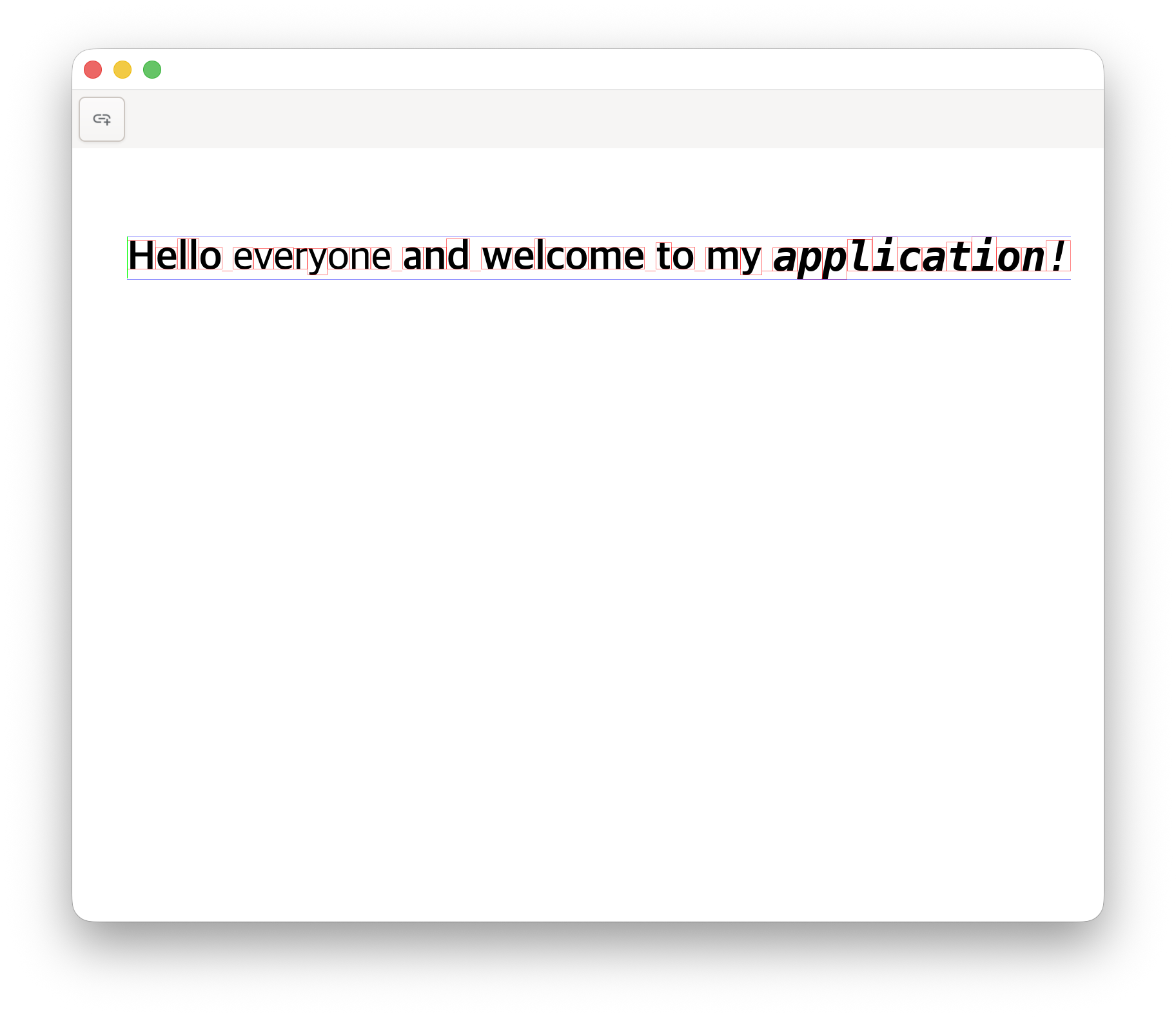
The project exposes fundamental challenges in text rendering that are
often abstracted away by higher-level libraries. Text is not simply a
sequence of characters; it is a complex interplay of Unicode
normalization, font selection, glyph shaping via HarfBuzz, bidirectional
reordering for languages like Arabic and Hebrew, and sub-pixel
positioning for smooth rendering. Each of these steps can fail or
produce unexpected results, and debugging requires understanding the
full pipeline from UTF-8 bytes to rasterized pixels on screen. Rust’s
type system helps by catching layout bugs at compile time, but the core
challenge remains: correctly implementing the Unicode text rendering
algorithm while maintaining acceptable performance. The code is publicly
available on GitHub.
Architecture and Document
Model
The editor is structured around a JSON-based document format that
explicitly separates content from presentation. Each document contains
global settings (margins, font size) and a list of elements, where each
element is either a page or a line of styled text. Lines are defined by
an anchor point in physical coordinates (millimeters or points) and a
sequence of text spans, each with its own attributes. This format is
deliberately minimal: there are no implicit formatting rules, no
cascading styles, and no layout constraints beyond what the user
explicitly specifies.
The document model is serialized and deserialized using
serde, which provides compile-time guarantees that the JSON
structure matches the Rust types. The Document struct
contains fields for margins and font size, along with a vector of
DocumentElement enum variants. Each line element includes
an anchor_point tuple of floats and a spans
vector of string-attribute pairs. The attributes currently support bold,
italic, and font family selection, though the system is designed to be
extensible to other properties like color, underline, and
strikethrough.
Configuration is stored separately in
~/.editex/config.json and includes window dimensions. On
first launch, the editor creates this file with default values if it
does not exist. This separation between document content and editor
settings ensures that documents remain portable and independent of the
user’s environment.
Text Rendering
with Skia and Custom Text Layout
The rendering pipeline centers on Skia, a 2D graphics library used by
Chromium and Android that provides GPU-accelerated drawing primitives.
Unlike higher-level frameworks that abstract rendering into declarative
descriptions, Skia requires explicit construction of drawing operations:
create a surface, obtain a canvas, set paint properties, and issue draw
commands. The editor creates a raster surface backed by CPU memory with
dimensions scaled by the display’s scale factor to support high-DPI
screens. This surface is then wrapped by GTK4’s DrawingArea
widget, which calls the draw callback whenever the window needs
repainting.
Text layout is handled by a custom text crate adapted from
cosmic_text, a library originally developed for the COSMIC
desktop environment. This crate provides several components: a
FontSystem that manages font loading and fallback chains, a
LineBuffer that holds text with attributes, and a
SwashCache that rasterizes glyphs and caches the results.
The layout process begins by populating a LineBuffer with
text and attributes, then calling the layout function which performs
font selection, glyph shaping via HarfBuzz, and bidirectional
reordering. The output is a LayoutedLine containing
positioned glyphs with physical offsets.
Each glyph stores its start and end indices into the original text
string, its horizontal and vertical positions, its width, and metadata
about bidirectional level. The physical positions are stored as
Option<f32> because not all glyphs have valid
positions (e.g., combining diacritics may be attached to base glyphs).
The rendering loop iterates over these layouted glyphs, retrieves the
rasterized glyph image from the cache, and draws it onto the Skia canvas
at the specified position. This glyph-by-glyph approach provides precise
control over rendering but requires careful handling of sub-pixel
positioning and gamma correction.
Cursor Positioning and
Editing
One of the most technically challenging aspects was implementing
accurate cursor positioning. When the user clicks in the text, the
editor must determine which character the click corresponds to,
accounting for variable-width glyphs, ligatures, and bidirectional text.
The EditingCursor struct stores two indices:
line_index for which line the cursor is on, and
glyph_index_in_line for the character position within that
line.
The cursor positioning algorithm iterates through all layouted lines
to find which line the mouse Y-coordinate falls within, then iterates
through the glyphs in that line to find which glyph horizontally
contains the mouse X-coordinate. Each glyph exposes a
contains_horizontal_position method that checks whether a
given X-coordinate falls within its bounding box. For complex grapheme
clusters (e.g., emoji with skin tone modifiers), the algorithm
subdivides the glyph width proportionally based on the number of
graphemes, allowing the cursor to be placed between individual graphemes
within a cluster.
Bidirectional text complicates cursor movement because logical order
(the order characters appear in memory) differs from visual order (the
order they appear on screen). Hebrew text, for example, is stored
left-to-right in memory but displayed right-to-left visually. The
level field in each glyph indicates its bidirectional
level, with even levels representing left-to-right and odd levels
representing right-to-left. The cursor drawing code checks this level
and adjusts the horizontal position accordingly, ensuring the cursor
appears at the correct visual position regardless of text direction.
GTK4 Integration and Event
Handling
Integrating with GTK4 required understanding its event-driven
architecture. GTK4 applications respond to user input through event
controllers, which are attached to widgets and invoke callbacks when
events occur. The editor uses a GestureClick controller for
mouse clicks and an EventControllerKey for keyboard input.
Each controller is configured with a priority and connected to a
callback closure that captures the editor’s state via
Rc<RefCell<T>> smart pointers.
The mouse click handler calculates the physical mouse position by
multiplying the widget-relative coordinates by the display scale factor,
then calls the cursor positioning function described earlier. The result
updates the shared EditingCursor state and queues a redraw
by calling drawing_area.queue_draw(). This asynchronous
redraw request ensures that the editor remains responsive even during
complex layout operations, as GTK4 batches multiple redraw requests into
a single frame.
Keyboard input is more complex because it must handle both character
insertion and navigation commands. The key press handler checks the
pressed key against constants for arrow keys, backspace, delete, and
enter. For character keys, it retrieves the Unicode character from the
key event and inserts it into the text at the cursor position. For
navigation keys, it updates the cursor position based on the current
line and glyph indices, wrapping to the previous or next line when
appropriate. The implementation currently uses simple
character-by-character navigation, though a more sophisticated editor
would implement word-level and paragraph-level navigation.
Font System and Glyph
Rasterization
Font handling is delegated to the custom text crate’s
FontSystem, which wraps fontdb for font
discovery and rustybuzz (a Rust port of HarfBuzz) for glyph
shaping. On initialization, the font system scans standard font
directories and builds a database of available fonts indexed by family
name, weight, and style. When layout encounters a character, it queries
the font database for the best matching font, prioritizing the requested
family and style, then falling back to default fonts if no match is
found.
Glyph shaping is the process of converting a sequence of Unicode
characters into a sequence of positioned glyph IDs. This is necessary
because characters and glyphs do not have a one-to-one correspondence:
ligatures like “fi” may be rendered as a single glyph, while complex
scripts like Devanagari may combine multiple characters into a single
visual unit. HarfBuzz handles this complexity by applying font-specific
shaping rules encoded in OpenType tables. The output is a list of glyph
IDs with horizontal advances and offsets.
The SwashCache rasterizes glyphs by loading glyph
outlines from the font file and rendering them into anti-aliased
bitmaps. Each glyph is cached based on its font ID, glyph ID, and size,
ensuring that repeated rendering of the same glyph reuses the cached
bitmap. The cache uses an LRU eviction policy to prevent unbounded
memory growth, though for typical documents with a few hundred unique
glyphs, eviction rarely occurs. The rasterized bitmaps are stored in
Skia-compatible RGBA format and uploaded to the canvas as image
data.
Challenges and Future
Directions
One persistent challenge was debugging layout issues where text
appeared at incorrect positions or with wrong metrics. The problem often
stemmed from coordinate system mismatches: GTK4 uses widget-relative
coordinates, Skia uses canvas-relative coordinates, and the text layout
system uses font-relative coordinates (units per em). Ensuring correct
transformations between these systems required careful tracking of scale
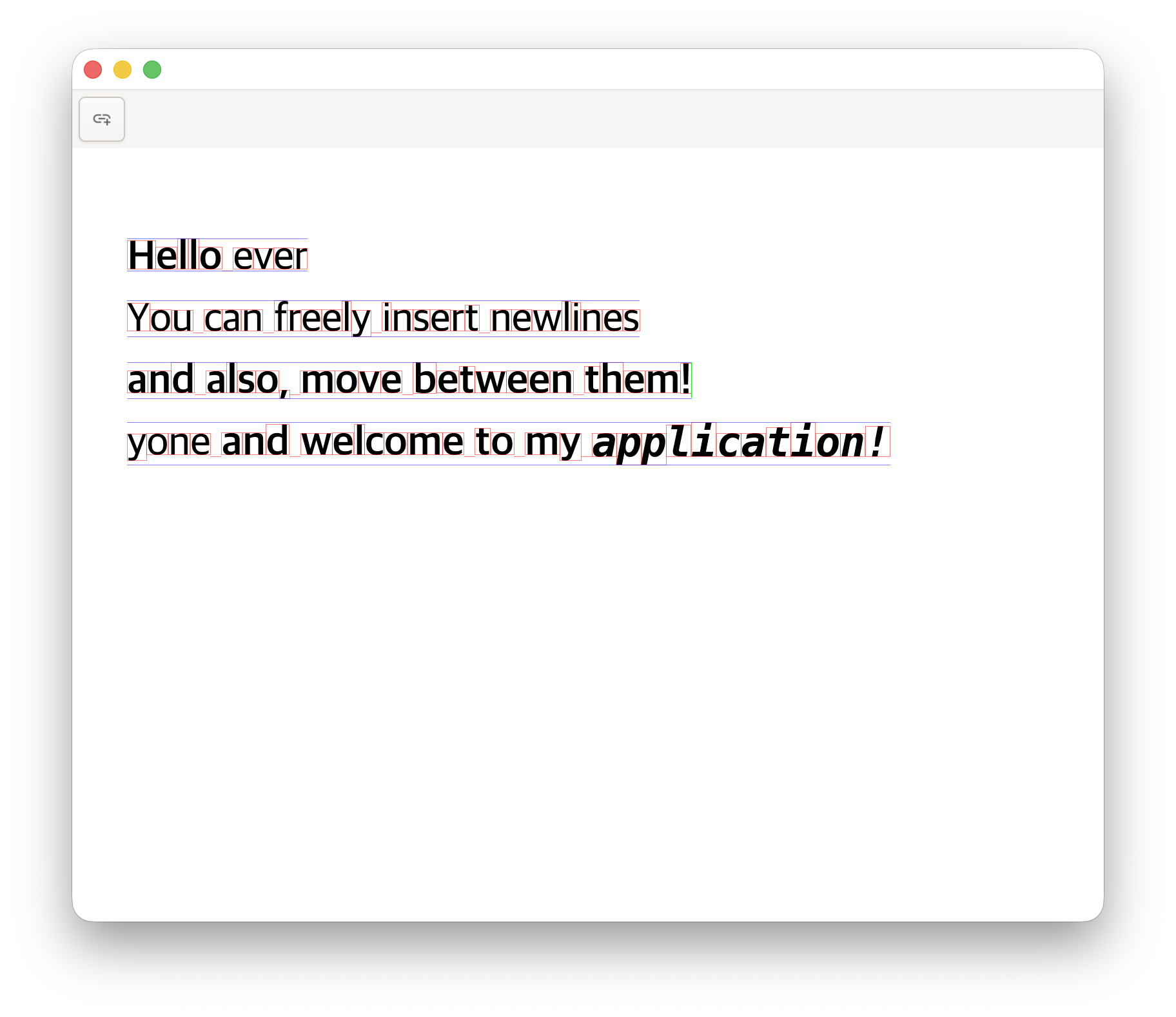
factors and anchor points. To aid debugging, I implemented visual
overlays that draw glyph bounding boxes and line metrics, allowing me to
verify that layout calculations matched expectations.
Another challenge was achieving smooth scrolling performance.
Initially, the editor re-layouted all text on every frame, which caused
visible lag on documents with hundreds of lines. The solution was to
cache layouted lines and only re-layout when the text content or window
size changes. This optimization reduced frame times from 30ms to under
2ms for typical documents, enabling 60 FPS scrolling. Further
optimizations could include incremental layout, where only visible lines
are layouted, and dirty region tracking, where only changed regions are
redrawn.
Future enhancements could include multi-page layout, where the
document is divided into pages with automatic pagination; rich
formatting options like colors, underlines, and custom fonts; and export
to PDF using a similar approach to the textr library. The current
implementation provides a solid foundation for these features by
maintaining a clear separation between document structure, layout, and
rendering. By understanding the full text rendering pipeline from first
principles, I gained appreciation for the complexity hidden beneath
seemingly simple operations like typing a character or moving the
cursor.